A trip app for friends travelling together
The flights, the stays, the plan for each day, the map, tickets and documents, everyone’s photos, and who paid for what, packed into one satchel
Make the trip once and send everyone the link. It works on any phone, and it still opens when there’s no signal. You can start from the booking emails you already have.
Here’s one we packed earlier: satchel.world/t/satcheldemo
What it’s for
Most trips get planned in a group chat, a few inboxes and somebody’s spreadsheet. Satchel puts the whole trip in one place that everyone going can open on their phone, with or without signal, so whoever organised it isn’t answering the same questions all week.
The route
The whole trip, one day at a time
Each day has its place, how you get there, where you’re sleeping that night, and a photograph. This is the sample trip: four friends, ten days in northern Vietnam.

Day 1Sun 18 OctHanoiLand, drop the bags, and let the Old Quarter do the rest.Little Lantern HotelPhoto: Vyacheslav Argenberg, CC BY 4.0 - 170 km by van

Day 2Mon 19 OctHạ Long BayOut to Lan Hạ, the quieter side of the bay.On the boatPhoto: Ammie Ngo, Unsplash - A day on the water

Day 3Tue 20 OctLan Hạ BayNowhere to be until the boat moves on.On the boatPhoto: Velvet, CC BY-SA 4.0 - 175 km by road

Day 4Wed 21 OctNinh BìnhTwo nights among the rice fields.Lotus Pond HomestayPhoto: Jakub Hałun, CC BY 4.0 - Through the caves

Day 5Thu 22 OctTràng AnBoats in the morning, the dragon’s steps by afternoon.Lotus Pond HomestayPhoto: Jakub Hałun, CC BY 4.0 - 95 km back to Hanoi

Day 6Fri 23 OctHanoiThe group splits for a night: two on the sleeper bus, two in the hotel.Sleeper bus, or the hotelPhoto: Jakub Hałun, CC BY 4.0 - 300 km overnight

Day 7Sat 24 OctHà GiangEveryone back together by lunch. Bikes in the afternoon.Hà Giang guesthousePhoto: Quangpraha, CC0 - 150 km on bikes

Day 8Sun 25 OctĐồng VănHeaven’s Gate, then the long climb north.Stone homestayPhoto: Benjamin Smith, CC BY-SA 4.0 - 22 km over the pass
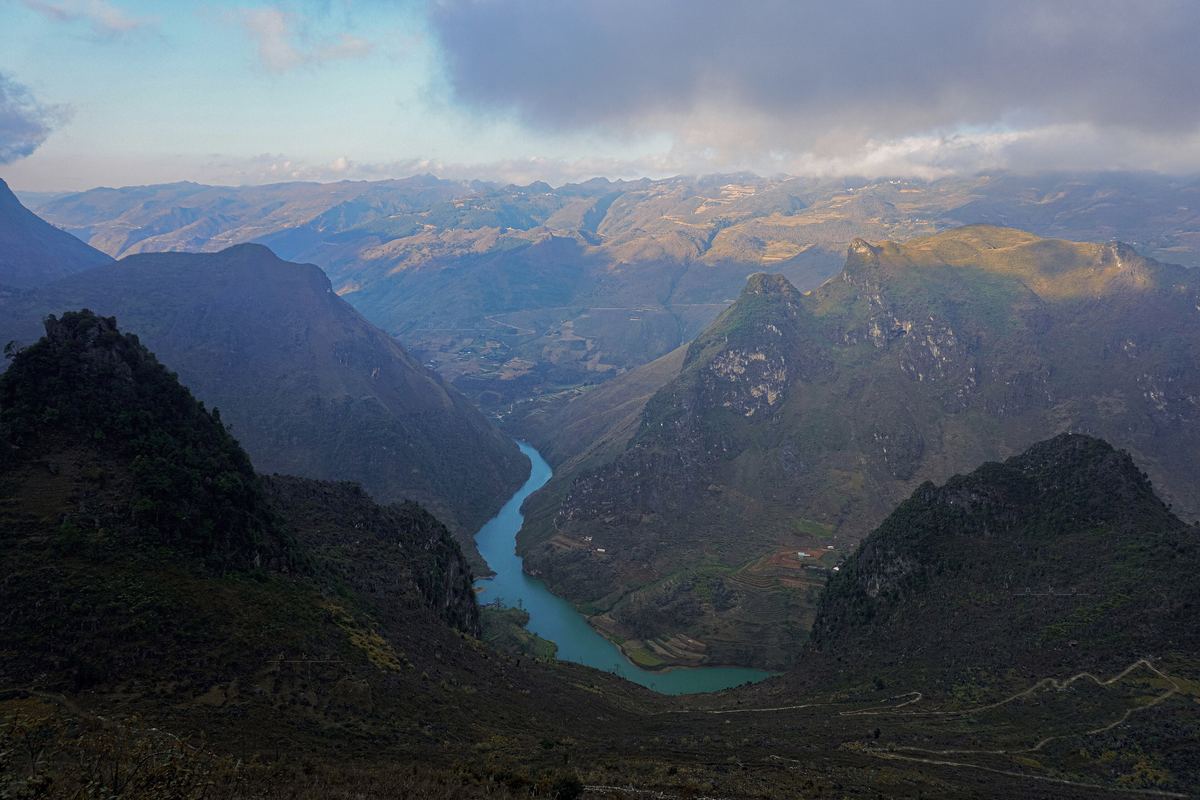
Day 9Mon 26 OctMèo VạcMã Pí Lèng in the morning light.Mèo Vạc homestayPhoto: NKSTTSSHNVN, CC BY-SA 4.0 - 470 km to the airport
Day 10Tue 27 OctHomeThe long drive down and a late flight out.Flights home
Photos
Everyone’s photos end up in one album
Each person adds photos from their own phone, and Satchel puts them under the right day and place. You can filter by day, by who took them, or by what’s in them.
And after the trip, you don’t have to ask everyone to send you their photos.













Photographs in the sample trip: Vyacheslav Argenberg and Jakub Hałun (CC BY 4.0), Velvet (CC BY-SA 4.0), Ammie Ngo (Unsplash); some cropped.
Privacy
Your documents and photos stay private
A trip comes with a lot of personal things: visas, ID scans, insurance, booking references, and hundreds of photos of your friends. Here’s how Satchel keeps them safe.
Documents
- Every file is encrypted with its own key before it’s stored.
- You choose who can open each one: just you, you and the organisers, or everyone on the trip.
- Every time a document is opened, it’s written down, and you can see the list.
- If a host needs your ID, send a link that stops working after a few views or a few days.
- Visas and ID documents are deleted 30 days after the trip.
Photos
- Only the people on the trip can see the album.
- Photos are resized on your phone before they’re uploaded. The uploaded copy has no location or camera details in it.
- If the trip link gets passed on to someone who isn’t on the trip, they can see the route and the map, but not the photos, documents or money.

Sharing the trip
Fewer questions in the group chat
Every trip gets the same questions. Which hotel is it tonight? What time do we land? Has anyone booked the boat?
Put the trip in Satchel once and share the link. Then people can look things up themselves instead of asking you.
Getting started
Start with the bookings you already have
Satchel reads your confirmations and puts each flight, stay and activity on the right day, with the times and booking references. You check it all before anything is saved.
- Forward the emailsEach trip has its own email address you can forward bookings to.
- Drop in PDFsTickets, vouchers, the insurance. They’re kept in Papers as well.
- Or a screenshotFor the bookings that only exist in an app.
- Type the restAnything you haven’t booked yet can just be written down.
Planning
Plan the rest together
Anyone on the trip can add places they’d like to go, and the others can heart them. The organiser moves the popular ones onto a day. There’s a shared checklist too, and everyone can add the trip to their own calendar.
- Tailor in Hanoi before we flyAlex’s idea · Hanoi
- Water puppet show at Thăng LongJamie’s idea · Hanoi
- Saturday market in Đồng VănRiley’s idea · Đồng Văn
Flights, stays and plans turn up in Google, Apple or Outlook, and move when the trip does.
You can tap the hearts and the boxes.
During the trip
It opens on today
Once the trip starts, the first thing you see is the day you’re on: what’s next, where you’re staying tonight, and the tickets you’ll need. Things you’ve done fade out as the day goes on.
There’s also a button that shows tonight’s address in big letters, so you can hold your phone up to a taxi driver.
Scroll to move through the day.
Limestone, lotus and little lanes- 10:30The bay to Ninh BìnhStraight from the pier. In at 13:30.
- 14:00Tam Cốc rice-field homestayCheck in at Lotus Pond Homestay
- ~16:30Bikes through the rice fieldsPast Bích Động, back for sunset
- EveMountain goat and crispy riceHoa knows the place
- 14:20Now
Flights
See what a late flight would affect
Each flight has a ‘What if it’s late?’ option. Pick a delay and Satchel shows what it would mean for the people on that flight, like a missed airport pickup, with the driver’s number so you can let them know.
- The pickup worksThe driver is at arrivals from 13:00, which leaves time for bags and a SIM card.
- Check-in from 14:00Little Lantern Hotel, in the Old Quarter.
Only Maya and Jamie are on this flight, so only they and the organisers hear about it.
No signal
Works without signal
Once you’ve opened a trip, it’s saved on your phone. The plan, your tickets, tonight’s address and the money all still work on a mountain road, a sleeper bus or a plane.
You can add it to your home screen and open it like any other app. There’s nothing to install.
- Mã Pí Lèng Pass08:30 · The one everyone comes for. Go slowly.
- A boat down the Nho Quế13:00 · ₫150k each
- Mèo Vạc homestayFrom 17:00 · MV-201
✓Your tickets and papers10Money, up to this morning✓Photos you’ve opened13Money
Split costs and settle up at the end
Add what you spend in whatever currency you paid in. Split it evenly, between some of you, or line by line from a photo of the receipt. If you’re sharing cash, there’s a kitty for that.
On the last day, Satchel works out the fewest payments to settle everything, and gives each person a link to pay.
For organisers
Share the organising
A trip can have more than one organiser. Everyone else can add their own flights, documents, photos and spending. If someone wants to change the plan, they send a suggestion, Satchel works out what would move, and an organiser accepts it or doesn’t.
“Can we do Hang Múa first thing, before it’s hot? The boats could go after.”
09:30Tràng An by boat06:30Hang Múa · 500 stepsEveDinner by the river
Pick the trip’s colours
Satchel suggests colours based on where you’re going, or you can choose your own. Everyone on the trip sees the same ones. Try one here and the page will change too.
For travel agencies
Running trips for clients?
Give each client their trip as its own app, with your logo and colours, on your own web address. You can build it from the confirmations you already have, and client requests come to one place instead of lots of message threads.
- Your logo and colours
- Your own web address
- Your whole team planning together
- Client requests in one inbox
Questions
Something else you’d like to know? Write to us and a person will answer, usually the same day.
hello@satchel.worldWho is Satchel for?
Friends and families travelling together, and especially whoever ends up doing the organising. Travel agencies use it for their clients’ trips too.
How do I start?
Sign in with your email address. Then drop in your booking confirmations, or type out where you’re going and for how long, and Satchel makes a first draft for you to check. You can also start with an empty trip.
How does everyone else join?
The organiser shares an invite link. Each person signs in with their email (there’s no password) and picks their name from the trip, so their own tickets and documents are matched to them.
Who can see my documents?
Only the people you choose. Each document can be open to just you, to you and the organisers, or to everyone on the trip. Every file is encrypted, every time one is opened it’s logged, and visas and ID documents are deleted 30 days after the trip.
Who can see our photos?
Only the people on the trip. Photos are resized on your phone before they’re uploaded, and the uploaded copy has no location or camera details in it.
Does everything need a date and a time?
No. You can save places before you’ve picked dates, put things on a day without a time, or write something like ‘around 4’ or ‘evening’.
How does Satchel use AI?
It reads booking emails and PDFs, can draft a day-by-day plan from a description, and turns a typed change like ‘move the bikes to after the boats’ into an edit you can check. It doesn’t change your trip on its own. Nothing is saved until someone who can edit says yes.
Where are you going next?
Start with the bookings you have, or just the name of the place. Or have a look round the sample trip first.